
Overview
List products the buyer is considering. Totals update the deal’s value.
1. Add a product line
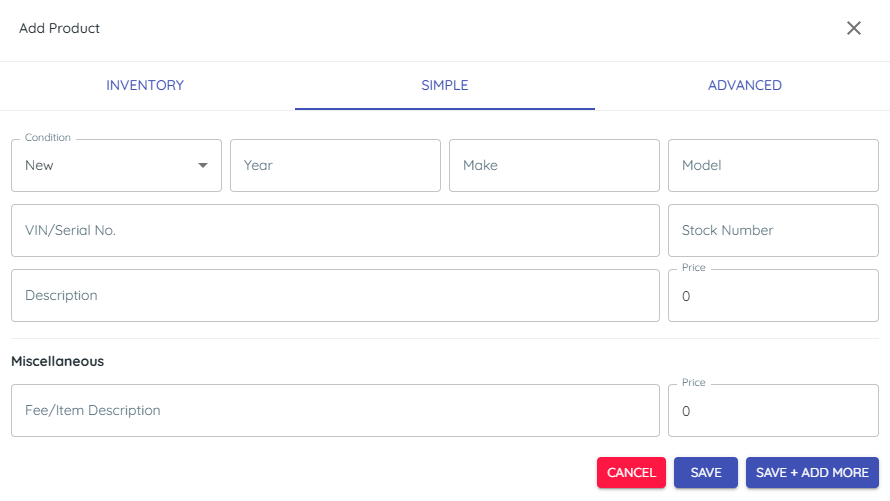
1) Click + in Products search for a product from your inventory, or enter Year, Make, Model, Vin, Stock Number, Description, and Price.
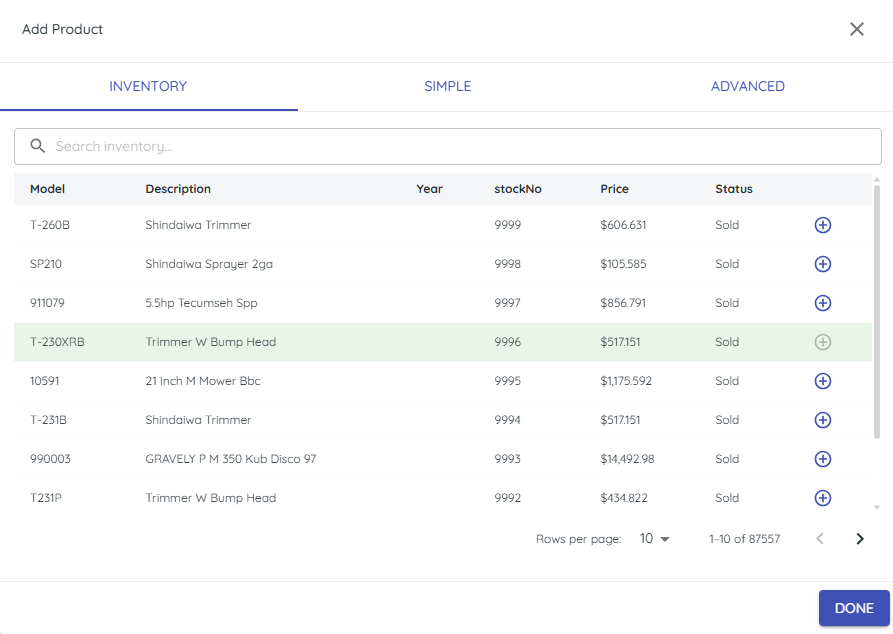
You’ll see the line item added and the total updated.
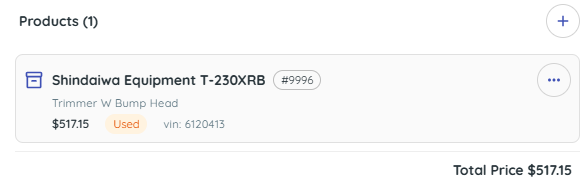
This captures what the customer wants.
2. Keep it simple when needed
1) When completing manual entries, you can choose to enter only Description and Price.
You’ll see a minimal line item.
Quick entries keep you moving.
3. Add fees
1) Click Products + and add Miscellaneous Fee/Item Description and Price (e.g., Delivery).
You’ll see the fee added to the total.
Fees keep the quote expectations clear.
4. Know the boundary
1) Entering products here does not allocate inventory, change stocking status or create quotes.
You’ll see details on the deal only.
Use your DMS for quotes, orders, and allocations.
Related KB articles
– Attach files and add notes to deals