
Overview
Keep documents and call notes on the deal for your team to see.
1. Upload a file
1) Click the Files tab, select the plus sign button, then drag-and-drop or select file from your computer.
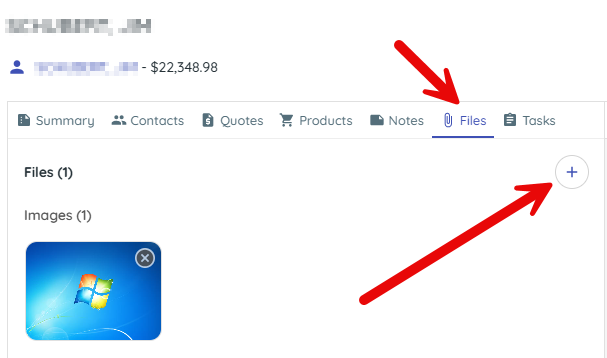
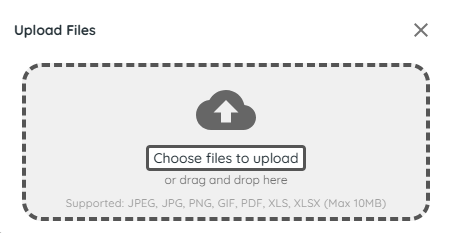
You’ll see the file and a timeline entry with timestamp.
Shared files keep everyone aligned.
2. Add a note
1) Navigate to the Notes tab inside the deal card and add your note.
You’ll see a timestamped timeline entry.
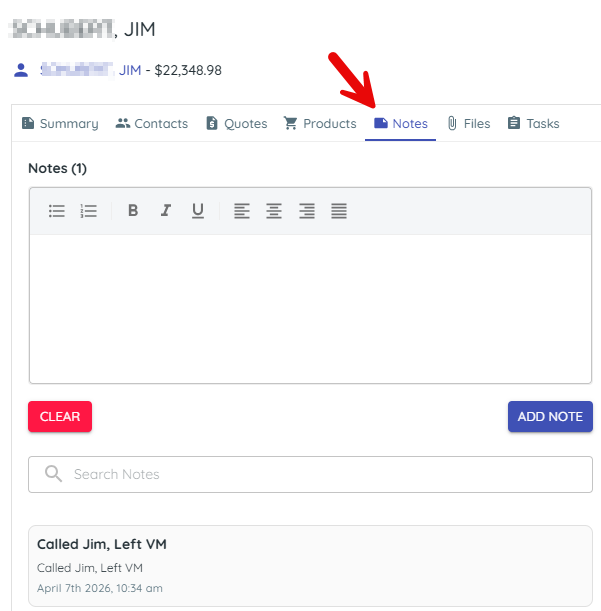
Notes record progress and decisions.
> Tip: Use a task (not a note) when someone must do something; tasks can notify and carry due dates.
Related KB articles