
Overview
Assign follow-ups with due dates so work doesn’t slip.
1. Add a task from the deal
1) Click Tasks the tasks tab, enter Subject, pick Task Type, set Due Date and Time.
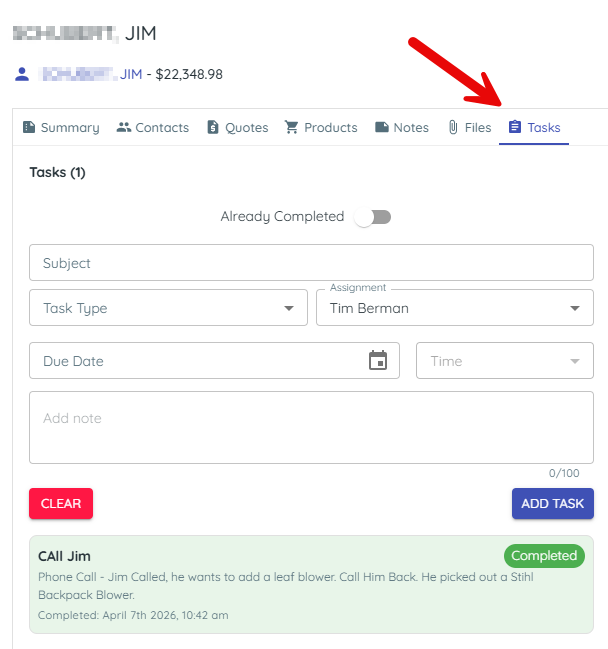
You’ll see the task on the deal timeline.
This makes next steps explicit.
2. Assign the task
1) Choose Assignment (or keep yourself).
You’ll see the assigned user on the task.
Ownership ensures accountability.
3. Save and notify
1) Click Add.
You’ll see a scheduled note on the deal.
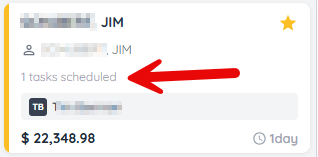
The assignee is notified if someone else assigned it.
> Tip: When you assign a task to yourself, no notification is sent (you already know).
Related KB articles