
Overview
Get notified when others assign tasks to you and when leads are assigned.
1. In-app notifications
1) Keep Target CRM open.
You’ll see a popup and a bell alert for task assignments made by others.
This helps you react quickly.
2. Mobile notifications
1) Install the app and allow notifications.
You’ll see task alerts on your phone.
You can review and complete tasks on mobile.
3. Email notifications
1) Click your username > User Profile; add your email and enable Task assignment.
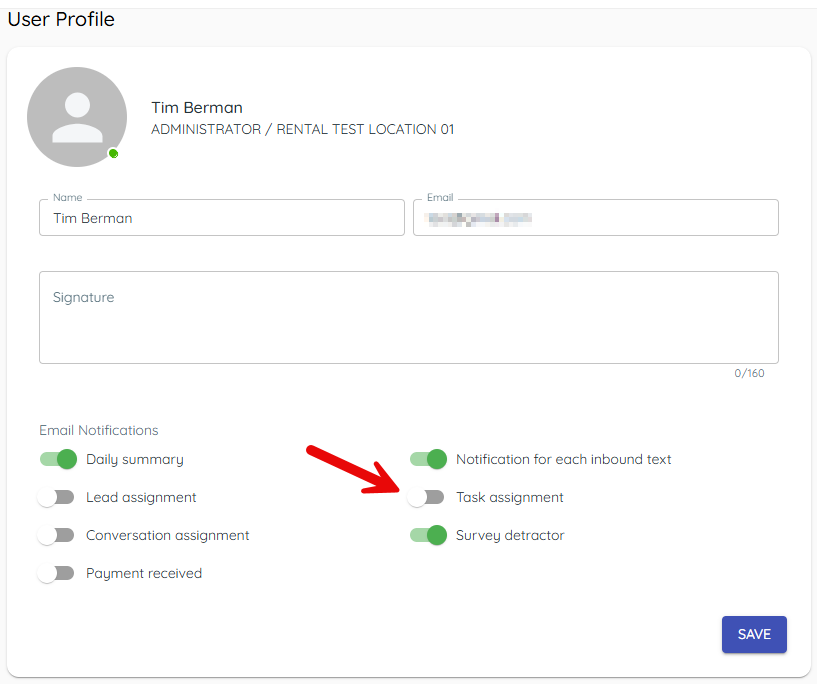
You’ll see emails when others assign you tasks.
Email keeps you covered when away from the app.
4. Lead assignment emails
1) In User Profile, enable Lead assignment.
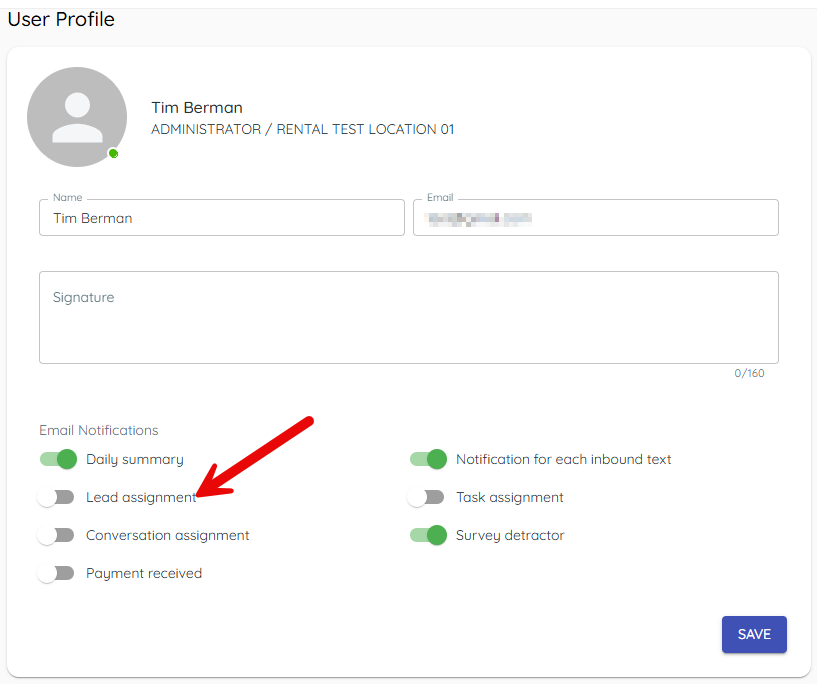
You’ll see emails when a deal is assigned to you.
This helps you respond promptly to new leads.
Related KB articles