
Overview
Standardize how tasks are created and closed. Access is controlled by department.
1. Open Task settings
1) Go to Settings > Tasks.
You’ll see Task Types and Outcomes.
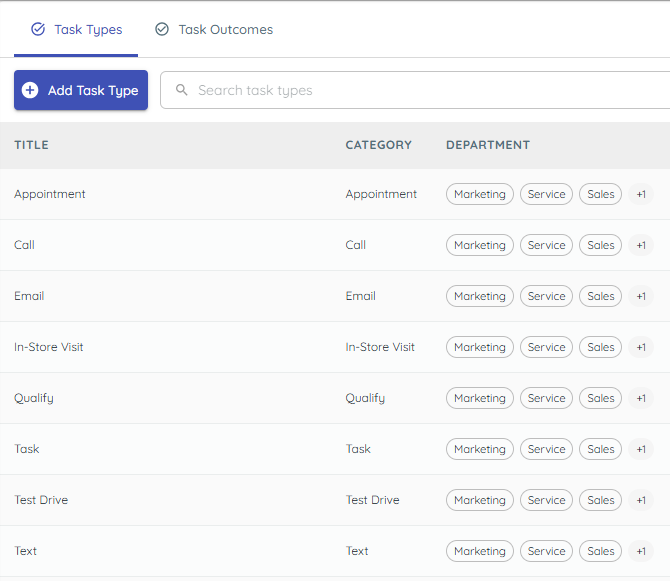
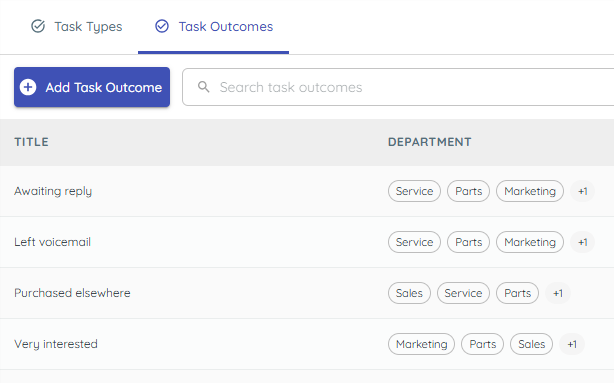
Consistent labels make reporting cleaner.
2. Add or repurpose task types
1) Create a type with name and subcategory; choose allowed Departments.
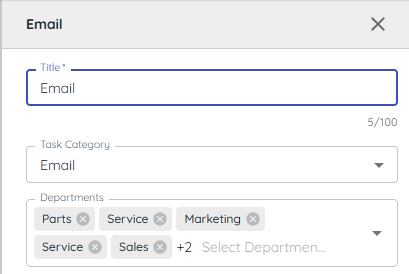
Only users with access to the department can use it.
3. Add outcomes for completion
1) Create outcomes (e.g., Left voicemail, Delivery complete).
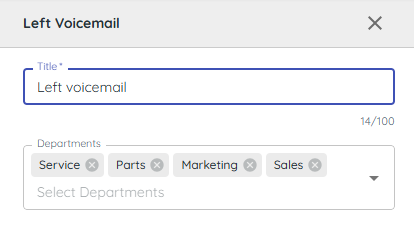
You’ll see outcomes in the Done dialog.
Standard outcomes speed closure.
4. Manage carefully
1) Review defaults before creating new ones.
You’ll see that types cannot be deleted.
Repurpose existing types if possible.
Related KB articles