
Overview
Auto‑create deal cards from website forms and third‑party sources.
1. For TargetWeb™ Customers Only: Enable Target Web leads
1) In Settings > Deals, open a pipeline and flip “Target Web leads” on.
You’ll see a location selector.
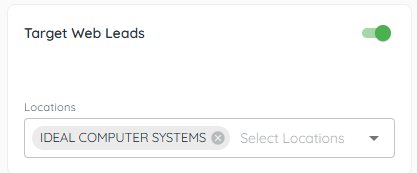
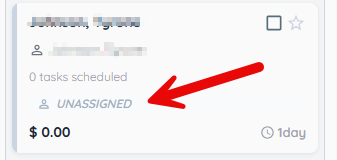
Target Web can auto‑create leads into that pipeline. You will see them appear as unassigned.
2. Generate an email for other providers
1) Flip “generate e‑mail” and Save.


You’ll see a unique Email.
Give this address to your site provider (e.g., ARI, Dealer Spike).
3. Use ADF-XML format
1) Ask your provider to send leads in ADF-XML format to your Pipeline Email Address.
You’ll see web leads appear as Unassigned.
Assign the deal to start moving it through stages.
4. Understand restrictions
1) You can view the lead but cannot edit or move it until it’s assigned.
You’ll see editing enabled after assignment.
Assignment clarifies ownership.
Related KB articles
– Enter products and fees on a deal