
🎉 It’s Finally Here: Facebook Messenger Is Now Inside TargetCRM!
This is a big one. Customers have been asking for this feature for a long time, and it’s finally live!
You can now connect Facebook Messenger directly to TargetCRM, so your team can manage Facebook messages without leaving the CRM. Faster replies, better tracking, and fewer missed leads—all in one place.
🚀 What’s New?
💬 Facebook Messages in TargetCRM
When a customer messages your Facebook Page:
- The message shows up in TargetCRM Messenger
- Your team can reply right away
- Conversations stay tied to the correct department
Each Facebook Page is connected to one department, so messages always go to the right team.
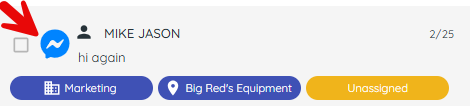
👀 Easy to Identify Facebook Conversations
Facebook messages are clearly marked with an icon.
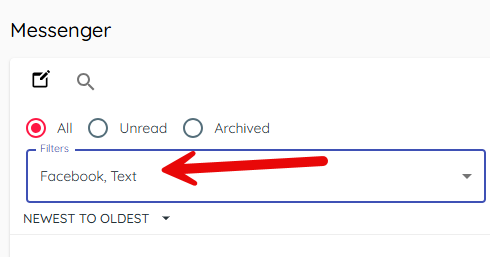
You can also filter your inbox to show:
- Text messages only
- Facebook messages only
⚙️ How to Set It Up (Admins Only)
Step 1: Link Your Facebook Account
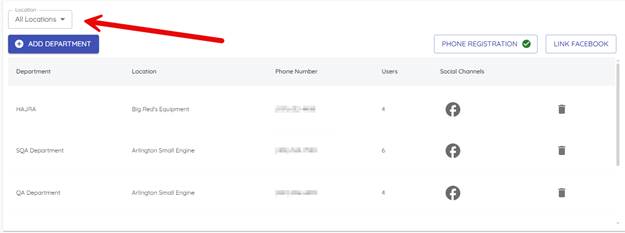
Go to Settings → Departments
- Use the location filter to select the correct dealership location
(Facebook accounts are tied to locations)
2. Click Link Facebook
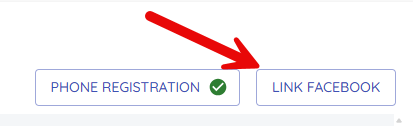
- Log in with your dealership’s Facebook credentials and approve access
Once complete, you’ll see a confirmation that your Facebook account is linked.

Step 2: Connect Facebook Pages to Departments
- In Settings → Departments, find the department you want to connect
- Click the gray Facebook icon in that department’s row

- Choose the correct Facebook Page from the list
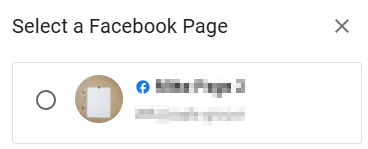
- Click Link Page
✅ When connected, the Facebook icon turns blue

✅ Each department can only be connected to one Facebook Page
✅ Each Facebook Page can only be connected to one department
🧑💼 Facebook Customers & Records
When someone messages you on Facebook:
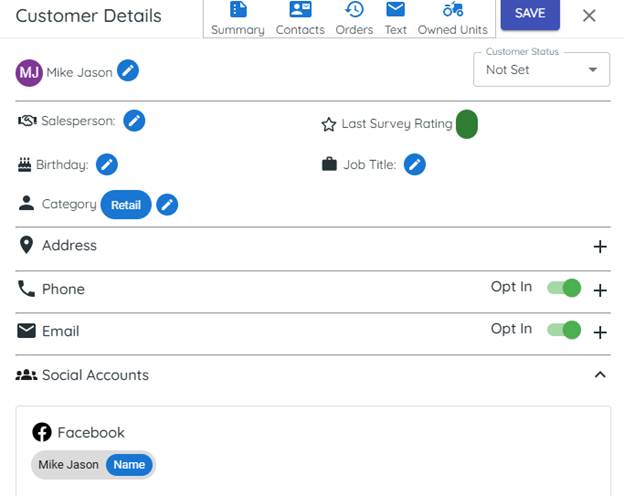
- A customer record is created automatically
- That customer is marked with their connected Facebook account
✅ Our Recommendation (Important)
- If the customer already exists → merge the Facebook contact with the existing customer

- If the customer does not exist → use the Sync button on the Customer Review tab to create the customer record in your DMS
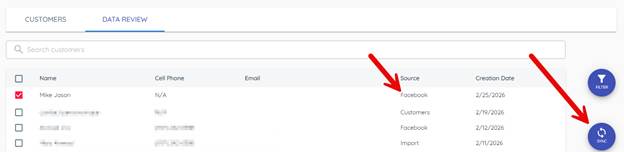
This helps keep your data clean and avoids duplicate customers.
🔄 Merging Facebook Customers
When you merge:
- All history stays with the main customer record
- Facebook conversations move to the main record
- Nothing important is lost
✅ Best practice: Merge Facebook leads as soon as possible.
⚠️ Important Facebook Rules to Know
🔐 Facebook Login Expiration (Low Risk for Most Dealers)
Facebook credentials may expire after 65 days with no one logging into TargetCRM.
For most dealers, this should not be a concern, since users typically log in every day.
If it does expire, an admin can quickly reconnect Facebook in Settings.
⏰ 7‑Day Facebook Messaging Window (Very Important)
Meta (Facebook) has a strict rule:
- If 7 days pass since the last message received from Facebook, the conversation times out
- After that, you will no longer be able to reply in that conversation

✅ Best practice:
Make sure your team checks Facebook messages at least once per week so conversations stay active.
📌 Other Facebook Limitations
Due to Facebook rules:
- Conversations can’t be reassigned to different users or departments
- Conversations can’t be archived
- Conversations always stay with the department connected to the Facebook Page
🎯 Why This Update Matters
This update helps you:
- Respond faster to Facebook leads
- Keep all conversations in one place
- Track Facebook messages like any other channel
- Prevent missed opportunities and dropped conversations
🎉 We’re Excited—and We Know You Are Too
This has been one of our most requested features ever, and we’re thrilled to finally deliver it.
Connect your Facebook Pages, assign them to departments, and start replying inside TargetCRM today.