
Overview
You can open Target CRM from your DMS or the web. Use whichever path fits where you’re working.
1. Open from your DMS
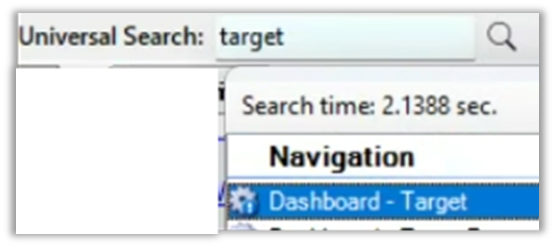
1) In Aspen, use the universal search to open the Target dashboard.
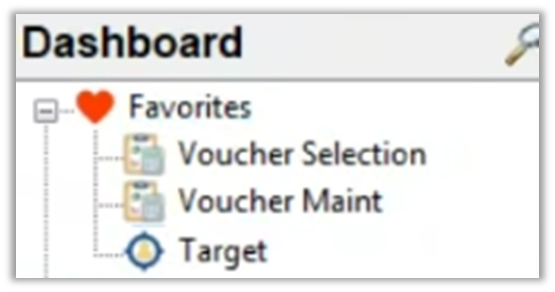
– Add the Target dashboard to Aspen Favorites for one-click access.
2) In IDEAL, use the icon bar or Applications menu.
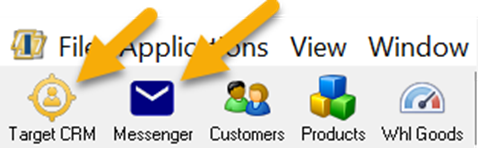
3) In Infinity, use the TargetCRM Button.

You’ll see Target CRM without an extra sign-in.
This is the fastest path because your DMS session carries over.
2. Open from the web
1) Go to app.constellationdealer.com and sign in with Username and Password from your DMS, and Dealer Number.
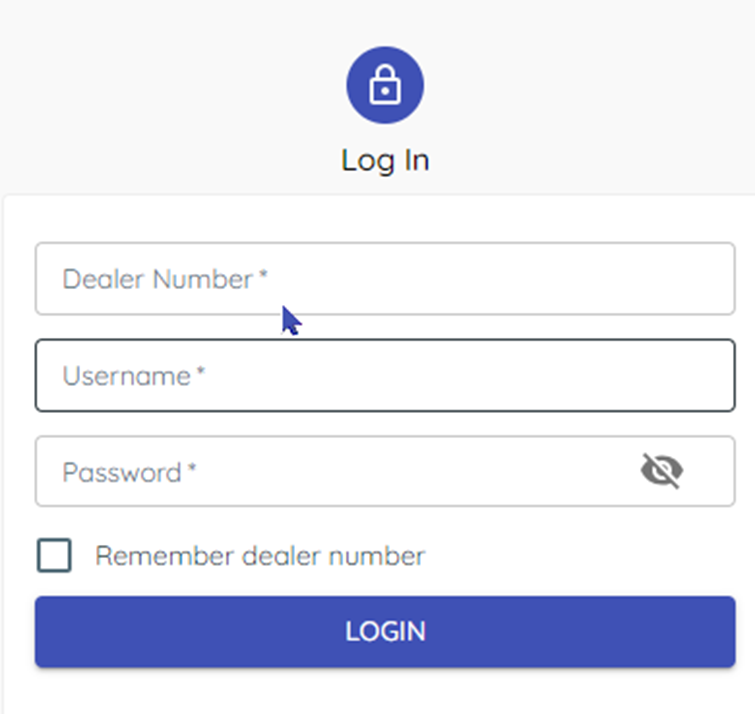
You’ll see the Target CRM home screen.
Web access works anywhere.
3. Find your dealer number
1) Once inside TargetCRM hover your username at the top-right (don’t click).
You’ll see a pop-up with your Dealer Number.

This helps anyone at your store sign in.
Related KB articles
– Create a new broadcast (SMS, MMS, Email)
– Send and receive texts in Messenger