
Overview
Draft the body, preview, and send test messages before you go live.
1. Write the body
1) In Body, enter your message content.
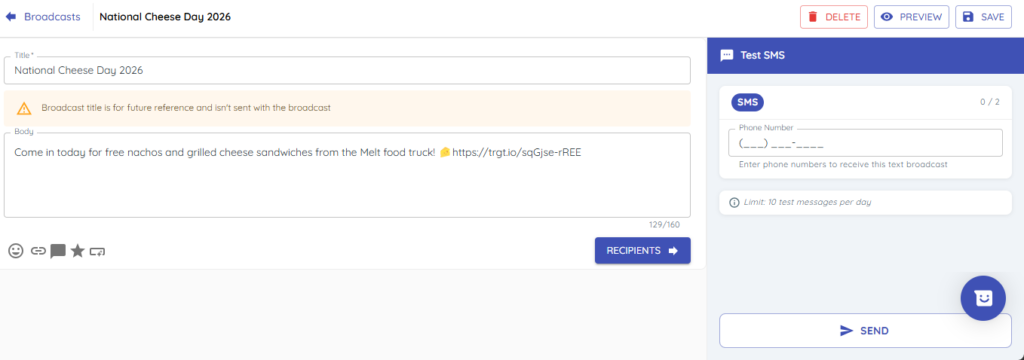
You’ll see a live character count.

Stay concise and clear.
2. Preview the message
1) Click Preview.

You’ll see the message as customers will see it.
Preview helps catch formatting and link issues.
3. Send a test message
1) Use the test messaging panel to sent test SMS or Email to up to two recipients, up to ten times per day.
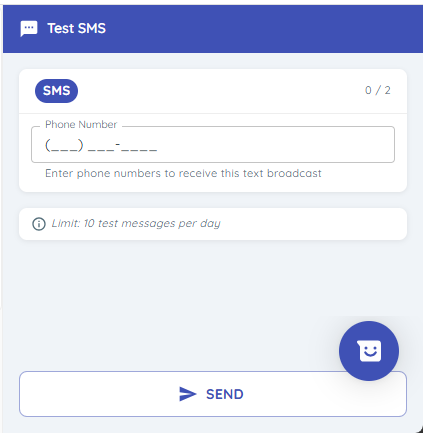
You’ll see confirmation that test(s) were sent.
Test on two devices (e.g., iPhone and Android) to verify layout.
4. Save your draft
1) Click Save.

This will mark the broadcast as a draft.
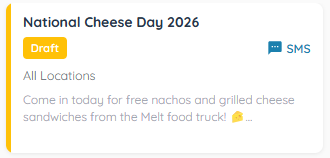
You can return and edit anytime before sending.
Tips to Work Faster
– Test more than once as you refine links and formatting.
Related KB articles
– Add links, emojis, merge tags, and templates to a broadcast