
Overview
Send immediately or schedule broadcasts. Large sends go out in a steady stream.
1. Send now
1) After selecting the customer group(s) for your broadcast, Click Send Now.

Your broadcast will be added to the queue of all broadcasts being sent at that time, and will typically start being delivered within 15 minutes.
Use this for timely announcements.
2. Schedule a send
1) Click Schedule Broadcast, then set Date and Time.
You’ll see the broadcast queued for the chosen time.
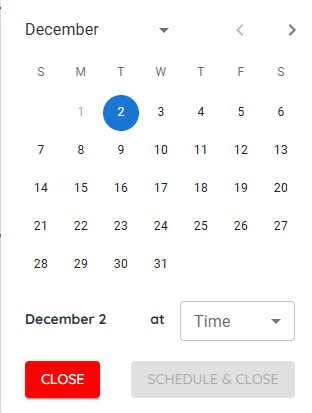
Scheduling sends automatically even if no one is signed in.
3. Understand broadcast delivery rate
1) For large lists, expect messages to stream out continuously.
You’ll see completion over minutes when volumes are high.
Typical rate is about 20–25 text messages per second. So 10,000 text messages would take approximately 7 minutes.
4. Manage your draft menu From the Broadcasts Screen

1) Select a broadcast and use the right panel to Edit, Clone/Duplicate, or Delete.
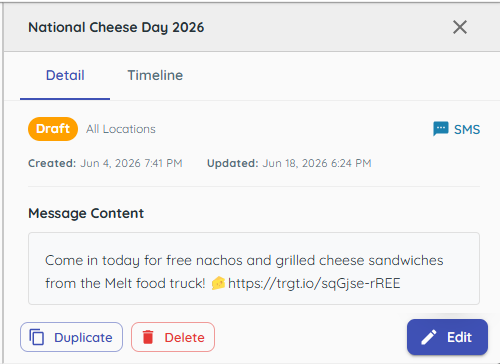
You’ll see options to reuse or remove items.
Cloning speeds repeat campaigns.
Tips to Work Faster
– Schedule ahead so your send starts at your ideal time.
Related KB articles
– Create a new broadcast (SMS, MMS, Email)
– Broadcast analytics and unsubscribe management