
Overview
Browse orders like a report with powerful filters and exporting.
1. Open Orders
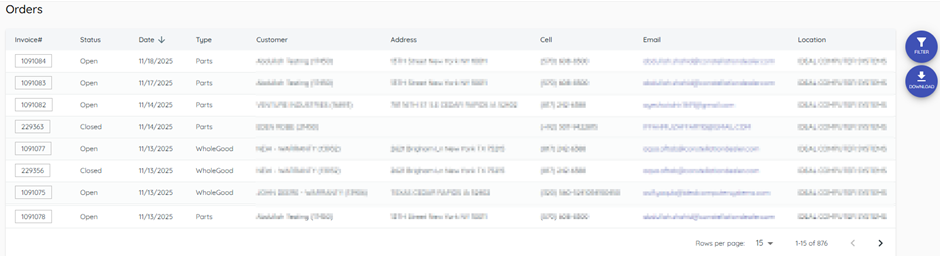
1) Click Orders on the left.
You’ll see open/closed work orders, whole goods, and parts.
This view is read‑only.
2. Filter and search
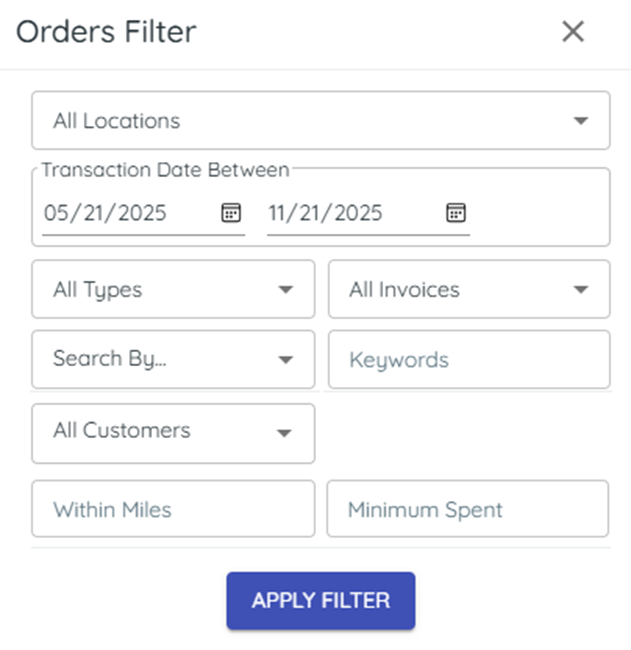
1) Click the filter funnel and set date range or invoice type; search (part/model/serial).
You’ll see the list narrowed to what you need.
Filters help you evaluate specific activity.
3. Export to CSV
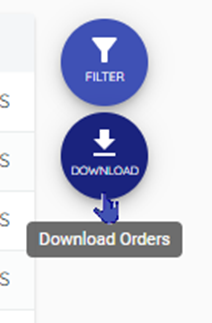
1) Click Download.
You’ll see a CSV saved to your computer.
Use it for quick analysis or sharing.
Related KB articles