
TargetCRM can integrate with BRP provided leads in your Deals screen, to allow automatic import of BRP leads, as well as passing information back to BRP about the status of those leads within your store!
How to Set Up BRP Lead Integration
Step 1: Complete the online consent form provided by your support team. Please reach out to support if you do not have this form.
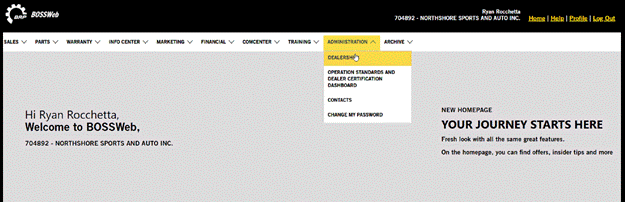
Step 2: Set up your integration in BOSSWeb:
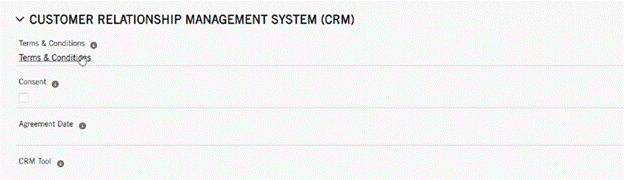
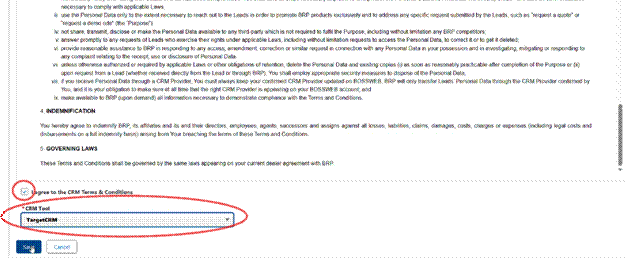
- Administration(dealership) > CRM (terms & conditions) > Agree to Terms & Conditions and choose TargetCRM as the tool
What is looks like in TargetCRM:

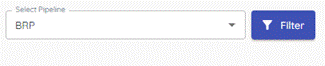
- Make sure BRP pipeline is selected (pipeline is created automatically)
New leads will come in unassigned
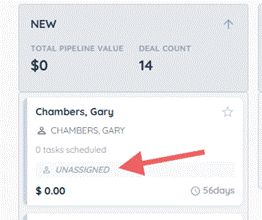
Open deal card and assign to an employee
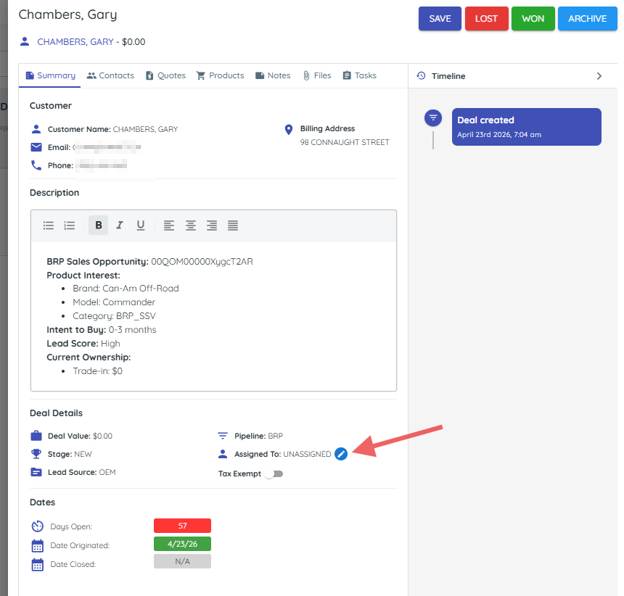
Then you can drag to contacted/unit sold/abandoned as status changes.
