
Overview
Queue shows pending sends. Analytics shows what already sent or was created.
1. Review Queue (pending)
1) Open Queue at the top of the Automations screen.

You’ll see emails, texts, and tasks due with the next batch processing.
Remove or correct statuses in your DMS before the batch processes if needed.
2. Review Analytics (sent)
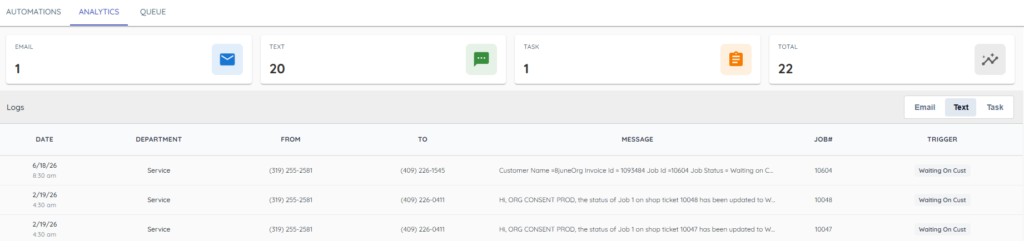
1) Open Analytics at the top of the Automations screen.
You’ll see the last ~50 items sent or created, including message details.
Customer replies to texts appear in Messenger as usual.
Tips to Work Faster
– Check Queue shortly after status changes to catch errors early.
Related KB articles
– Triggers, timing, and Ideal/Infinity/Aspen behavior
– Mobile app — inventory, customer orders, and task notifications