
Overview
Check current stock with filters, including product line, status, condition, and price.
1. Wholegoods
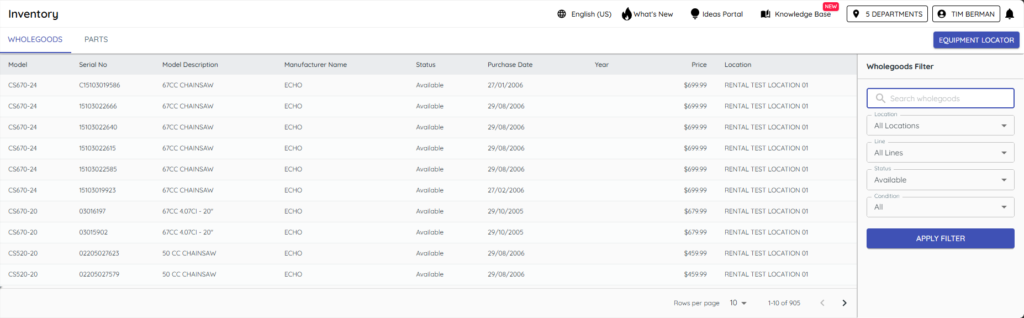
1) Open Inventory > WholeGoods.
You’ll see model, description, serial, stock number, age in days, and price.
Use it to confirm availability while you talk to customers.
2. Parts
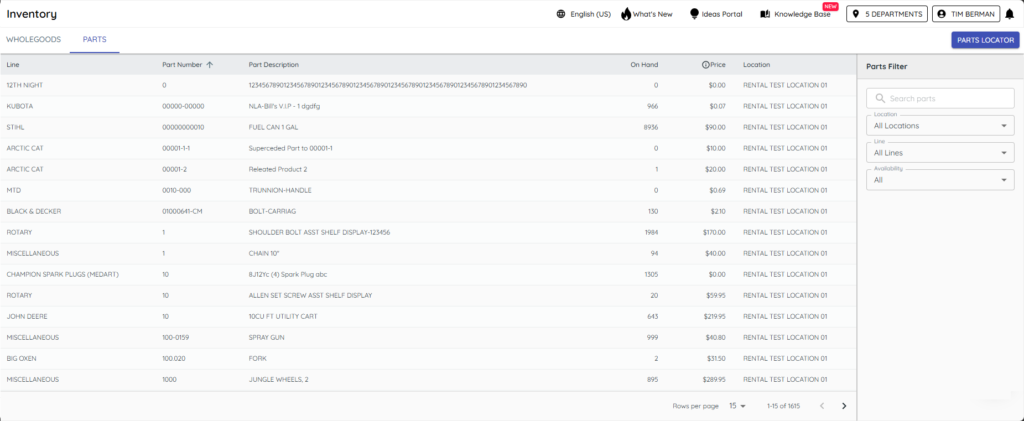
1) Open Inventory > Parts.
You’ll see on‑hand counts and non‑stock/zero‑on‑hand items.
It’s helpful for special orders and backorders.
3. Filter and locate
1) Use filters for product line, stocking status, condition, and price.
You’ll see a focused list for faster answers.
Equipment/Parts Locator shows nearby dealers’ stock, if enabled.
Related KB articles