
February ’26 New Feature Update: Send Broadcasts to Related Contacts!
You can now send text and email broadcasts not only to a customer’s main contact, but also to their related contacts—like additional employees, spouses, or business partners. This makes it easier to reach everyone who needs your messages.
🔄 Updates to Contacts
Contact Details
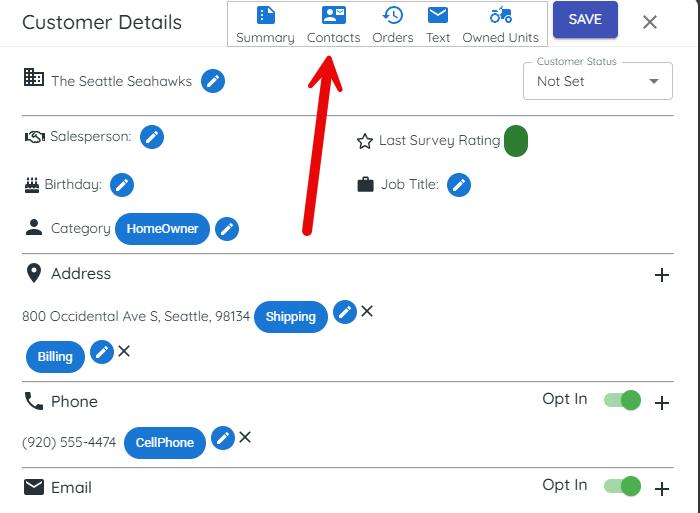
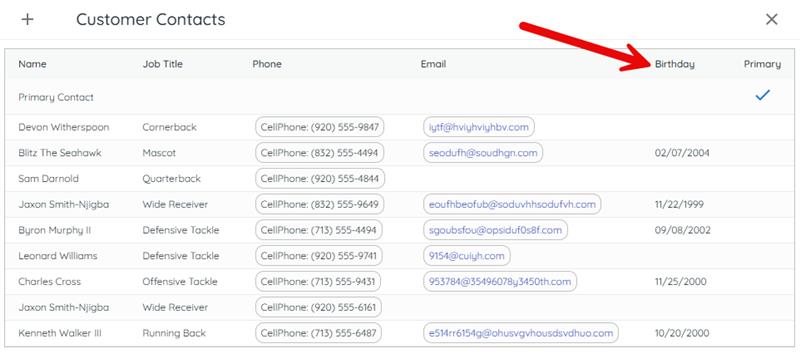
Within a customer’s contact list, you’ll now see:
- A Birthday column
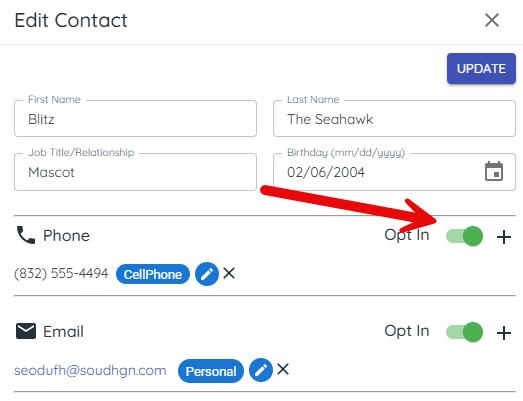
- Phone and Email Opt‑In toggles inside each contact’s details
Note: Only broadcasts can be sent to related contacts at this time. Surveys are planned in a future release.
👥 Add Related Contacts to Customer Groups
A new Include Related Contacts switch lets you automatically include related contacts when building Customer Groups.
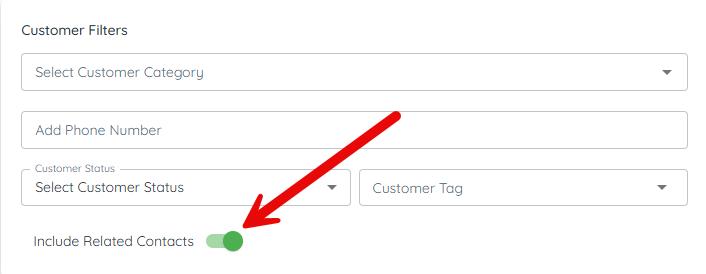
How it works
- Choose your usual filters.
- When the toggle is on, related contacts are added underneath the main customer record in a tree-style list.
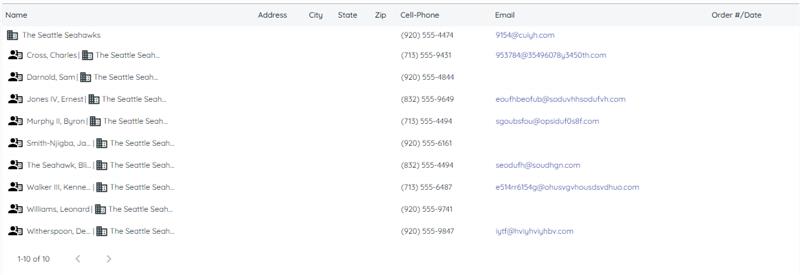
🎯 Targeting a Specific Related Contact
If you only need to message one particular related contact:
- Make sure they have a phone number and have opted in
- Apply their phone number as a filter
- Turn on Include Related Contacts
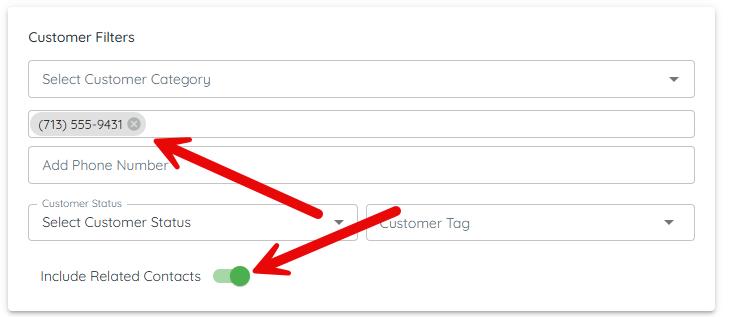
Phone number filters are very specific, so only related contacts with matching phone numbers will appear.
📍 Which Number Sends the Message if I have multiple locations?
If a customer record has a closed invoice at a secondary location, broadcasts behave like this:
- The primary customer phone/email receives the message from that secondary location’s marketing number.
- Related contacts always receive the message from the primary location’s marketing number.
📊 UI & Analytics Improvements
Across Messenger, Customer Groups, and Broadcast Analytics, you’ll see:
- A clearer tree structure showing customers with their related contacts
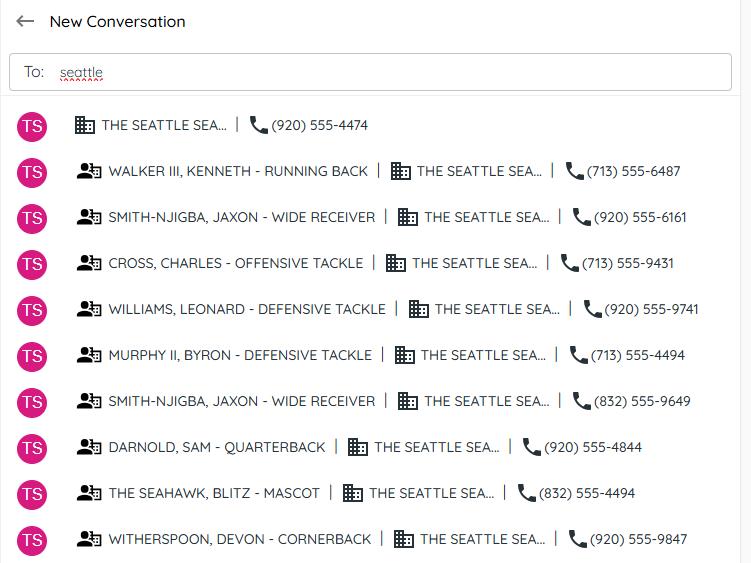
- Delivery information displayed for contacts on broadcast cards
- A simpler Name field replacing multiple name columns
- Analytics now show stats for related contacts whenever they’re included
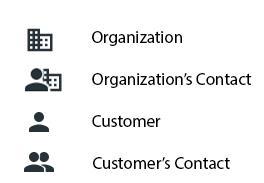
- Look for these icons when working with related contacts:
✔️ Summary
These improvements help you:
- Easily include key related contacts in your broadcasts
- Control who receives messages with simple opt-in settings
- View cleaner, more organized contact and analytics information
That’s It!
We hope you love these updates! If you have questions or need help, use the chat button the bottom left corner of your TargetCRM.