
You can now connect your dealership’s Instagram account to TargetCRM and handle Instagram Direct Messages right alongside your texts and Facebook conversations — one inbox, every channel.
What’s New
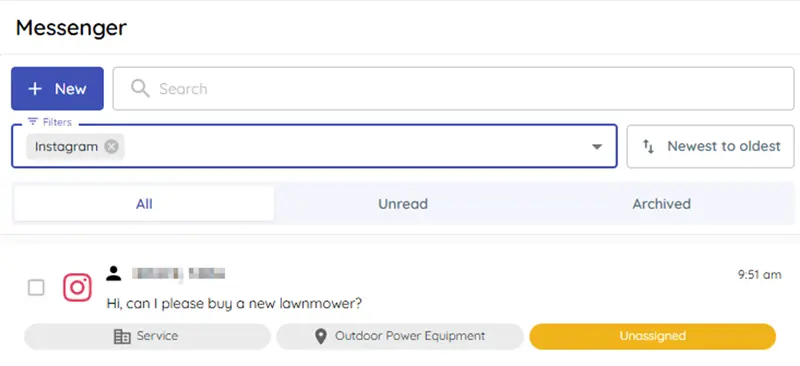
📥 Instagram messages in your Messenger inbox
Link your Instagram Business account and see incoming Instagram DMs land in the same conversation view your team already uses. No more bouncing between the Instagram app and the CRM.
👤 Customers stay unified
An Instagram conversation ties back to the right customer — and if the same person already texts or messages you on Facebook, you can merge them so their whole history lives in one place.
🔎 Filter to just Instagram
A new Instagram filter lets you jump straight to your Instagram conversations whenever you want them.
How to Set It Up (Admins Only)
Instagram connects through Facebook, so you’ll need your Facebook Business Page connected first. There are two quick parts:
Part 1 — Link your Instagram account to your Facebook Business Page (done in Facebook, one time)
1. Open your Facebook Business Page Professional Dashboard.
2. Under Other, open Linked Accounts.
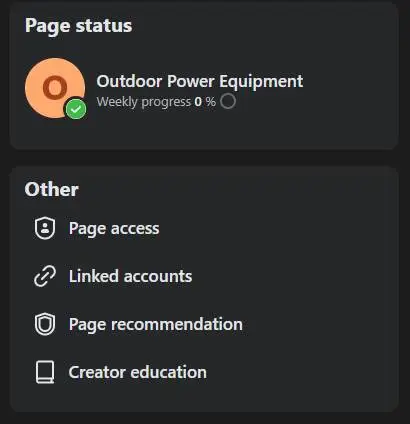
3. Select Instagram and sign in with your Instagram account.
That’s it on the Facebook side — your Instagram account is now tied to that Page.
Part 2 — Link the department in TargetCRM
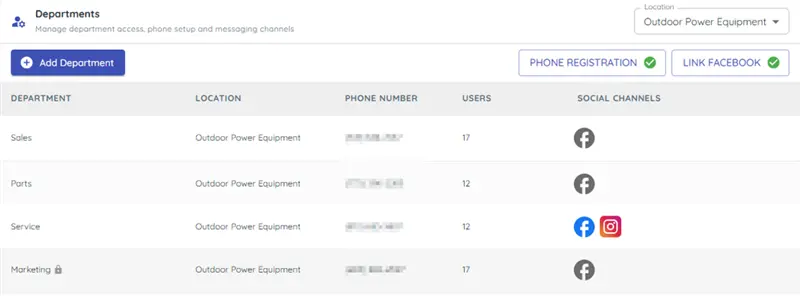
1. Make sure the Facebook Page is already linked to the department.
2. On that department row, click the Facebook icon under Social Channels.
3. In the side panel, you’ll now see your Instagram account listed under your Facebook Page.
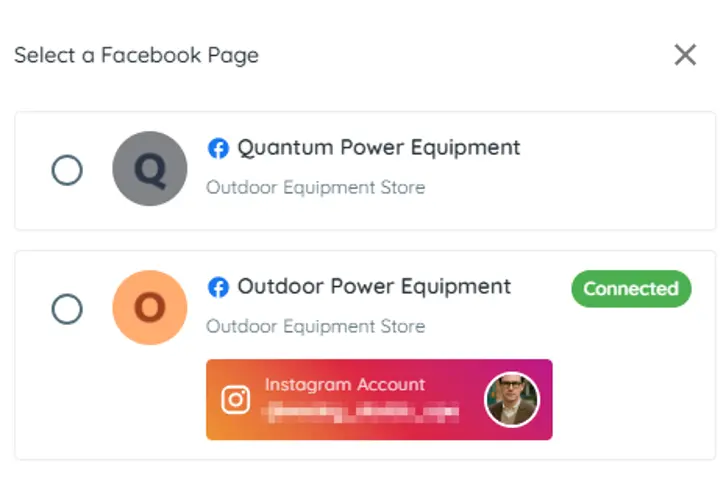
4. Click Link Page again to finish.
Any message sent to your Instagram account will now create a new Instagram conversation in TargetCRM Messenger. 🎉
Heads-up: like Facebook, Instagram gives you a limited reply window after a customer’s last message. TargetCRM shows a 7-day warning and will disable sending once that window closes.

Why This Matters
- Reply to Instagram leads without ever leaving the CRM.
- Never lose a DM in a separate app again.
- One customer history across text, Facebook, and Instagram.
That’s It!
Questions? Book a webinar! You can also reach us anytime from the chat button in the bottom-left of your screen.